Application creation
Applications are how BTG Pactual Empresas provides access to the Production and Sandbox environments of our APIs. They are also how we let the partner's developer manage the Scopes of the solution.
Creating applications
Applications can only be created by the registered developer added by the account holder. It is important to note that, to use the production environment, you need a verified application, whereas the Sandbox environment is completely free and does not go through this review.
What is a verified application?
A verified application is one that has permission to make requests and consume services that have real-world effects and use real data (issuing a boleto registered with CIP, for example).
How do I verify an application?
To get your application verified, you first need to make sure you have the Advanced Plan contracted.
The process between the verification request and the response can take up to 7 business days from the moment the Advanced Plan is contracted.
After that, you will create an application as we explain below, but with the toggle at the top of the screen set to "production" mode:

After creating an application with this toggle set to "Production", it will be forwarded to our review, and we will assess its viability and compliance with the standards we must follow. After the review, you will be informed whether your application was approved or denied and how to proceed.
Shall we walk through the step by step for creating your first application?
1. Enter the Developer Area
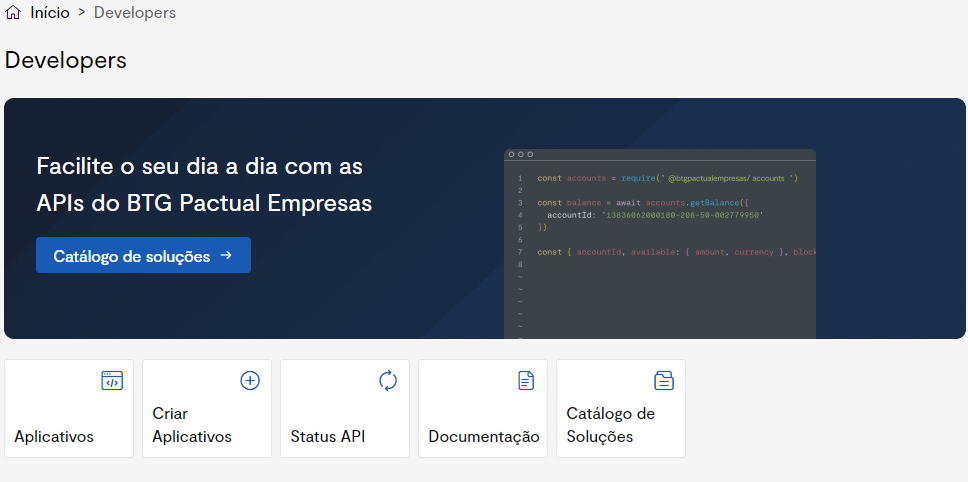
Click "Create Applications" to start the application creation flow
You will be guided through the application creation process, where you can define the information about your application that will be reflected in our systems. The flow has 3 steps:
- Application data;
- Scopes used;
- Summary.
Environment
Make sure you are creating your application in the intended environment. You can control which environment the application is created in using the toggle in the top-right corner of the page, as shown below:

Application data
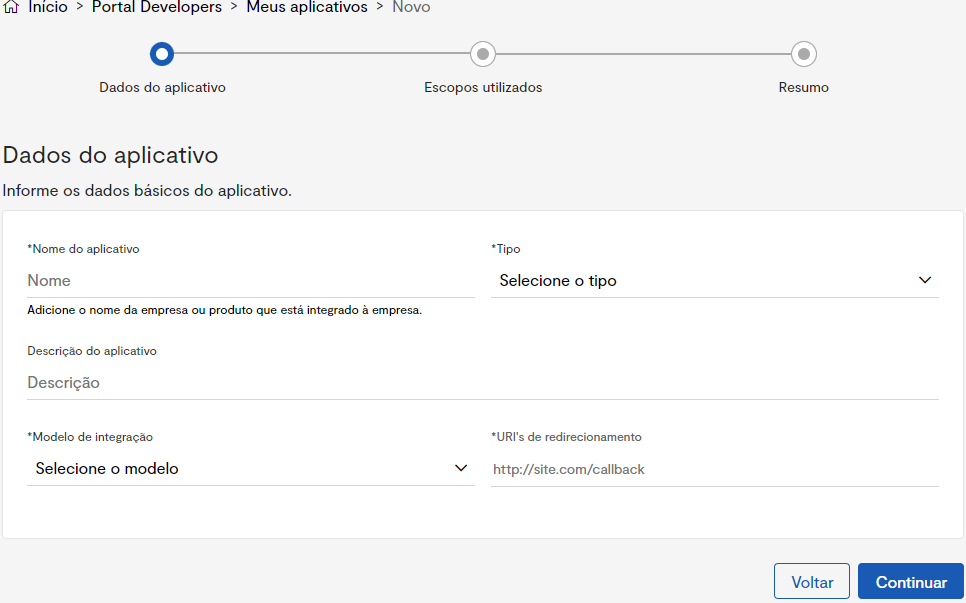
This is the first step in creating an application and requires you to provide:
- Name: The name that identifies your company's application in our system and is shown to your customers.
- Type: The type of application your application will serve. See Characteristics to learn more.
- Application description: A brief description of your application's purposes; it is not required.
- Integration model: Refers to the integration model your application can use. See Application Models to learn more.
- Redirect URL: The URL used for the callback during our authentication flow. See Authorization Code to learn more.
Scopes used
Here you will find a list of Scopes grouped by service so you can choose which ones you want to consume in your system.
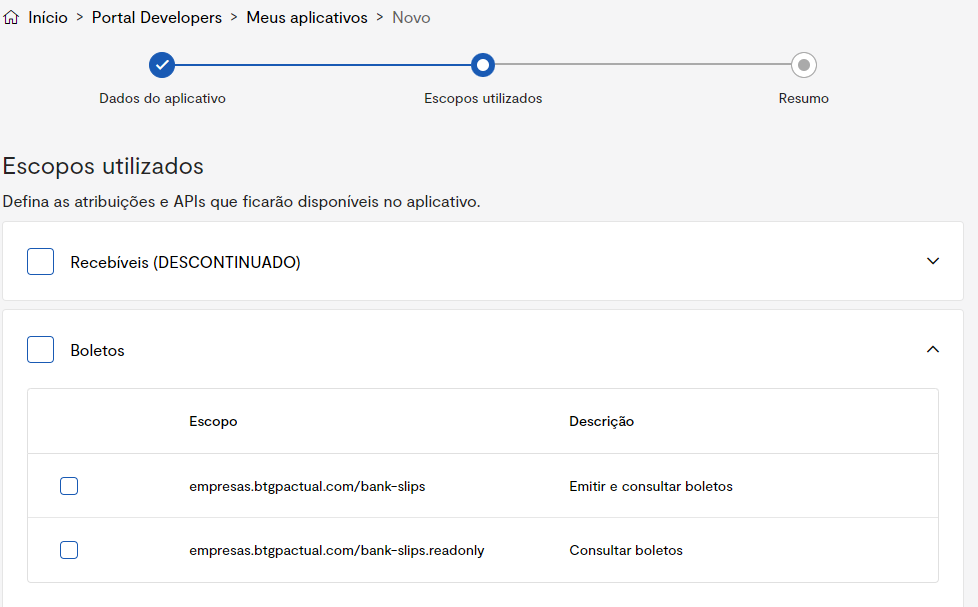
If in doubt, remember to visit the Scopes page to understand exactly how scopes work and what they represent.
Summary
This is the last step in creating your application. Here you will get a summary with all the information you provided so you can review it and send it to us.
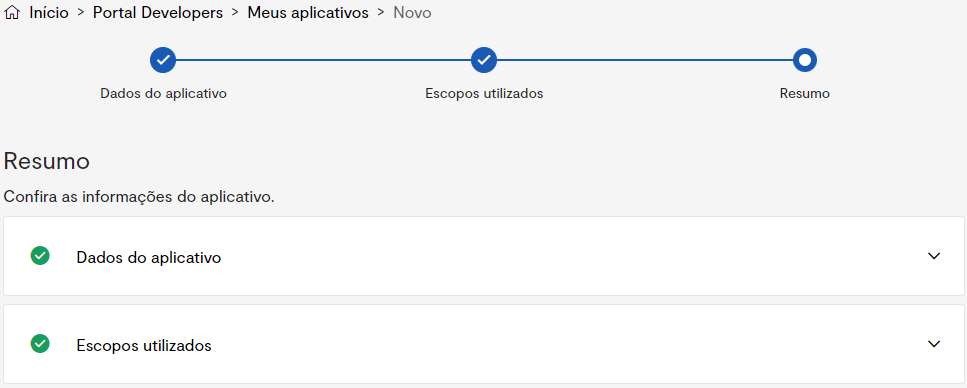
Just click the item you want to see its information!
After confirming the information and submitting it, your application will be pending approval if it is for the production environment; if it is a sandbox application, it will already be available for use!